


@tensorflow/tfjs-node installation failed(windows)
Step-by-step guide to fixing @tensorflow/tfjs-node installation errors on Windows

Having trouble installing @tensorflow/tfjs-node on Windows? You're not alone — the installation can be frustrating due to build dependencies and platform differences. Here's a step-by-step guide for you based on what worked for me:
Downgrade Node.js, Python
Node.js: v20.19.0
Python: 3.9.13
Download Node.js and Python file from those link:
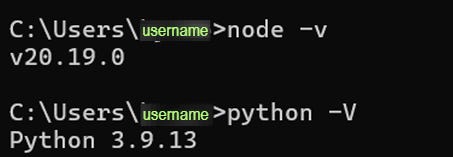
+++node version 18.16.1 enables tfjs-node download with binary files in single folder. This may help you prevent DLOPEN_ERROR when running your project mentioned below.
Download from Visual Studio Build Tools
First, download Visual Studio Build Tools from the link below:
Download Visual Studio Build Tools
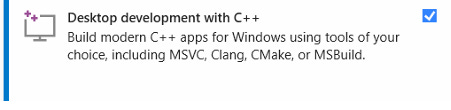
From Visual Studio installer, select “Desktop development with C++”

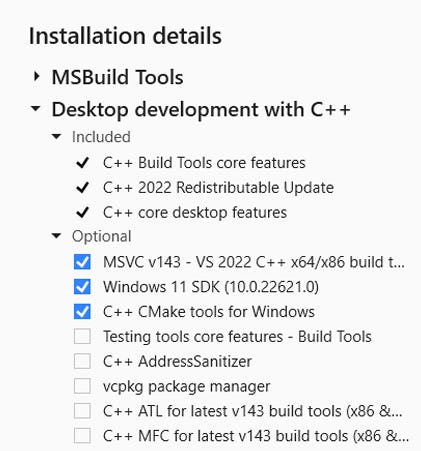
From installation details on the right side of window, select
MSVC v143
Windows 11 SDK(Depends on window version)
C++ CMake tools for windows

and restart your pc
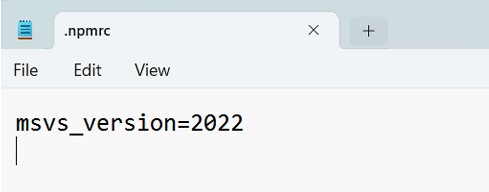
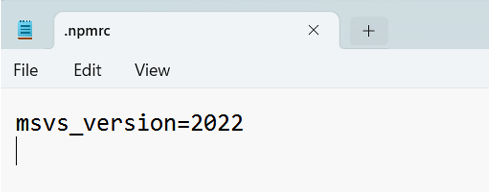
Update/Create .npmrc file
run:
echo msvs_version=2022 > C:\Users\[username on your pc]\.npmrc on powershell(Run as Admin)⚠️Make sure to replace [username on your pc] to the directory name appears on your pc from C:\Users
Clean cache and install tensorflow
from project folder, run:
npm cache clean --force

npm install @tensorflow/tfjs-node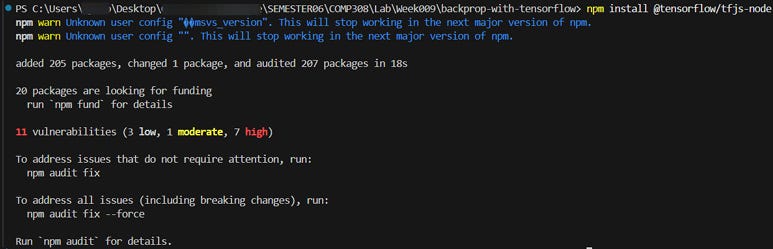
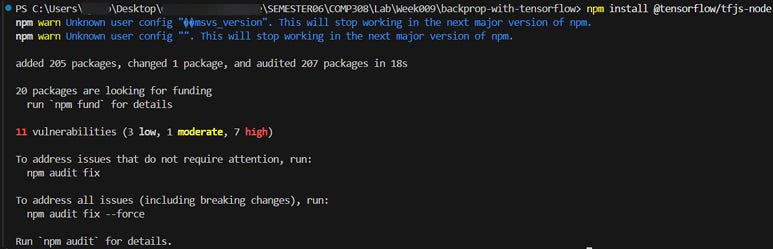
Try running your project.
+++DLOPEN_FAILED Error Solution
Please go through this steps if the error below is shown when running your project.

Remove node_modules, package-lock.json
Clean cache and re-install packages by running the commands below:
npm cache clean --force

npm install
Check directory of .dll file and binding file
run
dir node_modules\@tensorflow\tfjs-node\lib\napi-v9\and
dir node_modules\@tensorflow\tfjs-node\lib\napi-v8\tensorflow.dll file and binding file should be in the same folder. if they are in the separate folder,
Copy .dll file into the folder that has binding file
run:
copy node_modules\@tensorflow\tfjs-node\lib\napi-v9\tensorflow.dll node_modules\@tensorflow\tfjs-node\lib\napi-v8\or
copy node_modules\@tensorflow\tfjs-node\lib\napi-v8\tensorflow.dll node_modules\@tensorflow\tfjs-node\lib\napi-v9\(Depending on .dll file location)
Test if you’re able to import tensorflow.
Test command below to see if tensorflow works:
node
const tf = require('@tensorflow/tfjs-node');
console.log('TensorFlow version:', tf.version.tfjs);
If the Tensorflow version is shown, congratulations it is working🎉
Go ahead and run your project!
